Skip to content

Power Banks, Chargers and Laptops in Your Carry-On: The FAA and TSA Rules
Here is what the FAA and the TSA actually say, where the lines sit, and how to pack a work bag so that security takes two minutes rather than ten.
Spare lithium batteries go in the cabin (FAA)
The FAA's PackSafe guidance on lithium batteries is unambiguous: spare (uninstalled) lithium ion and lithium metal batteries, including power banks and cell phone battery charging cases, "must be carried in carry-on baggage only."
"Spare" is the word doing the work. A spare battery is one that is not inside a device: a power bank, a charging case, a loose camera battery, a second battery for a laptop. The TSA's power banks page puts it in two lines: carry-on, yes; checked, no.
Batteries installed in a device are treated differently. The TSA's page on lithium batteries of 100 watt hours or less in a device lists them as allowed in carry-on and in checked bags, with special instructions for the latter.
The reasoning is practical. If a battery overheats in the cabin, someone can see it and deal with it. The FAA asks passengers to tell the flight crew immediately if a battery or device is overheating, expanding, smoking or burning. In a cargo hold, nobody would know.
One more line from the same page that most people skip: battery terminals must be protected from short circuit. In practice that means a power bank should not rattle around loose against keys and coins. A small pouch, the original packaging or tape over exposed contacts on a loose battery all do the job.
The 100 Wh line
Lithium ion batteries are limited to 100 watt hours (Wh) per battery; lithium metal batteries to 2 grams of lithium. The FAA notes these limits cover nearly all the batteries an ordinary person carries. With airline approval, you may also carry up to two spare larger lithium ion batteries rated between 101 and 160 Wh.
Most power banks print their Wh rating on the case. If yours only shows mAh, do the arithmetic: multiply mAh by the voltage, then divide by 1,000.
| Power bank (at 3.7 V) | Watt hours | Under 100 Wh? |
|---|---|---|
| 10,000 mAh | 37 Wh | Yes |
| 20,000 mAh | 74 Wh | Yes |
| 26,800 mAh | 99.2 Wh | Yes, just |
| 30,000 mAh | 111 Wh | No: needs airline approval |
The figure on the case wins over your arithmetic if the two differ. And the federal limit is a ceiling, not a promise. The FAA says many airlines, domestic and international, set stricter limits, including how many power banks each passenger may bring, regardless of capacity. Check your carrier before you pack two.
The full index of what the FAA covers is on the PackSafe page, and it is worth a bookmark if you fly more than a few times a year.
Laptops at security (TSA)
The TSA's laptops page, updated July 15, 2026, allows laptops in carry-on and checked bags, and asks: "Please remove the laptops from your bag and place it in a separate bin for X-ray screening." It adds that TSA PreCheck travelers do not need to remove shoes, laptops, 3-1-1 liquids, belts or light jackets.
Every TSA item page ends with the same caveat: the final decision rests with the TSA officer at the checkpoint. Treat the published rule as the normal case, not a right.
If you travel with two machines, the rules apply to each. We covered that question in how many laptops you can bring on a plane. If your question is whether the bag itself counts as your personal item, that is a separate one: see is a briefcase a personal item.
The practical point is this. In a standard lane, the laptop comes out every time. A bag where the laptop sits in its own sleeve, reachable without unpacking anything else, saves you a minute and a few glances from the person behind you.

Gate-checked bags: remove batteries
This is the rule that catches people. When a carry-on bag is checked at the gate or planeside, the FAA says all spare lithium batteries and power banks must be removed from it and kept with the passenger in the cabin.
That moment usually happens at the jet bridge, with a queue behind you. If the power bank is buried in the roller with your clothes, you will be unpacking on the floor. If it lives in the bag that stays with you, there is nothing to do.
This is one reason a work bag that rides on top of a roller is worth having. With a trolley sleeve, the briefcase sits on the suitcase handle through the terminal, then comes off and goes under the seat. If the roller gets gate-checked, the batteries were never in it.
Where to keep chargers in a work bag
Give power its own place and it stops being a search.
- Power bank and cables: one small pouch, so terminals are covered and the whole kit lifts out in one move if a bag is gate-checked.
- Wall charger: the tech compartment, not the bottom of the main compartment.
- Laptop: its own padded sleeve, nearest the opening you use at security.
- Phone and boarding pass: a quick-access pocket, so you are not opening the main compartment in the line.
- Water bottle: empty through the checkpoint; we explain why in can you bring a water bottle on a plane.
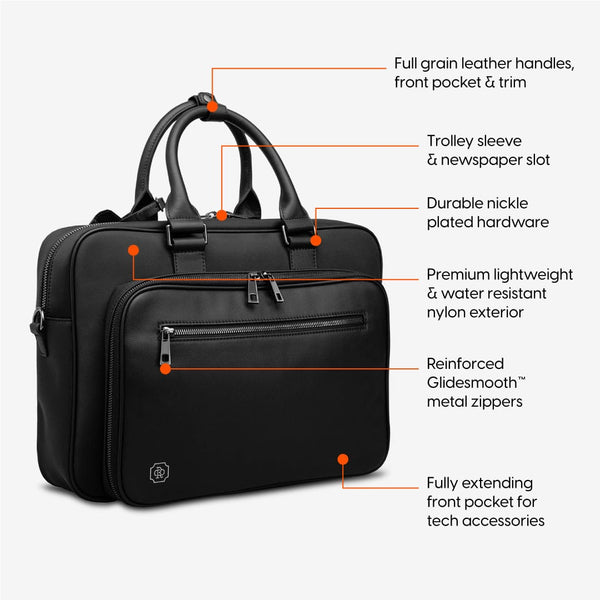
The Alto Briefcase was laid out along these lines: a padded laptop sleeve of 15.3 x 10.2 in with a velcro strap, made to fit a 16-inch MacBook Pro; a tech compartment for cords and chargers; a quick-access zippered phone and passport pocket; a trolley sleeve; and 13 pockets across a dual compartment. If you want the full pocket-by-pocket version, it is in how to organize a work bag.
None of this makes a bag compliant on its own. Rules apply to what you pack, not to the bag. But a bag with a named place for each charger makes following them a habit rather than an effort.
FAQ
- Can I bring a power bank on a plane?
- Yes, in your carry-on only. The FAA says spare lithium batteries, including power banks and phone charging cases, must be carried in carry-on baggage, and the TSA lists power banks as not allowed in checked bags. Each lithium ion battery is limited to 100 Wh, and some airlines set stricter limits on how many you can bring.
- How do I know if my power bank is under 100 Wh?
- Look for a Wh rating printed on the case. If it only lists mAh, multiply the mAh by the voltage and divide by 1,000. A 20,000 mAh bank at 3.7 V works out to 74 Wh. Most phone and laptop power banks sit under the line; check anything very large before you fly.
- Do I have to take my laptop out at TSA security?
- In a standard lane, yes. The TSA asks you to remove laptops from your bag and place them in a separate bin for X-ray screening. TSA PreCheck travelers do not need to remove laptops. Either way, the final decision rests with the TSA officer at the checkpoint.
- What happens to my power bank if my carry-on is gate-checked?
- Take it out. The FAA says that when a carry-on bag is checked at the gate or planeside, all spare lithium batteries and power banks must be removed and kept with you in the cabin. Keeping them in one small pouch makes that a five-second job.
- Can I put my laptop in checked luggage?
- The TSA lists laptops as allowed in both carry-on and checked bags. Spare batteries for it are a different matter: those must stay in the cabin. Most people who travel for work keep the laptop with them anyway, because it is the one item they cannot do the trip without.
Sources
- PackSafe: Lithium Batteries, Federal Aviation Administration — spare batteries carry-on only; 100 Wh / 2 g limits; 101–160 Wh with airline approval; gate-checked bags; terminal protection; airlines may be stricter
- PackSafe, Federal Aviation Administration — index of hazardous-materials guidance for passengers
- Power Banks, Transportation Security Administration — carry-on yes, checked no
- Lithium batteries with 100 watt hours or less in a device, TSA — installed batteries carry-on and checked (special instructions)
- Laptops, TSA — remove laptops for X-ray screening; PreCheck exemption; officer's final decision
- TSA PreCheck, TSA — the PreCheck program