Skip to content

How to Organize a Work Bag So Nothing Lives at the Bottom
Organizing a bag isn't about buying more pouches. It's about giving every item one place and putting it back there. Here's the method.
Zone the bag
Before thinking about pockets, think in four zones. Any decent work bag can be divided this way, ours or anyone else's.
| Zone | What lives there | Rule |
|---|---|---|
| 1. Laptop | Laptop, and tablet if you carry one | Against the back panel, padded, nothing loose beside it |
| 2. Daily kit | Charger, cables, bottle, glasses | Contained: cables in one place, bottle upright |
| 3. Quick access | Phone, keys, ID or passport, cards | Reachable without opening the main compartment |
| 4. Documents | Folders, notebook, printed papers | Flat, in a sleeve, away from the bottle |
The test of a good zone is that you can find any item in the dark. The test of a good bag is that it has a natural home for each zone. If you're still choosing one, our nine-point work bag test includes that check.
Pocket-by-pocket walkthrough
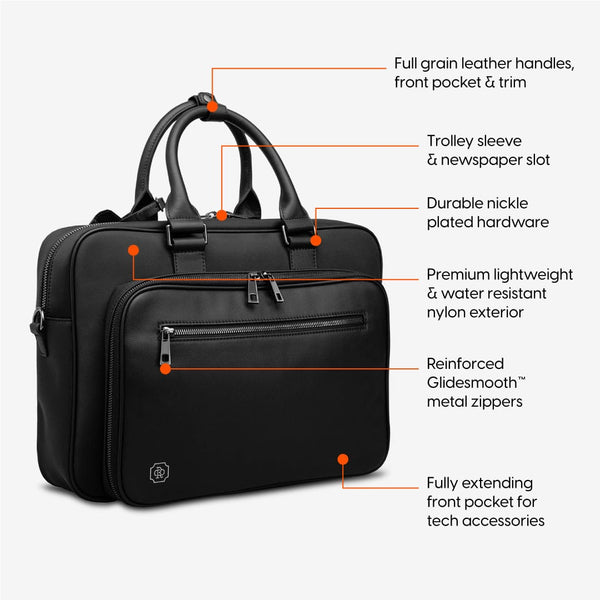
Here is how we'd set up the Alto Briefcase, which has a dual compartment and 13 pockets. Adapt it to whatever bag you carry.
Laptop sleeve (zone 1). The padded sleeve takes up to a 16-inch MacBook Pro and has a velcro strap to hold it. The strap is worth using even with a smaller laptop, so the machine doesn't shift when you set the bag down.
Tablet pocket (zone 1). Tablet or e-reader goes here, not loose beside the laptop. Two screens rubbing together is how scratches happen.
Tech compartment (zone 2). Charger brick, laptop cable, phone cable, a spare battery if you carry one. Coil each cable loosely. This is the zone that most often drifts, so keep only what you use.
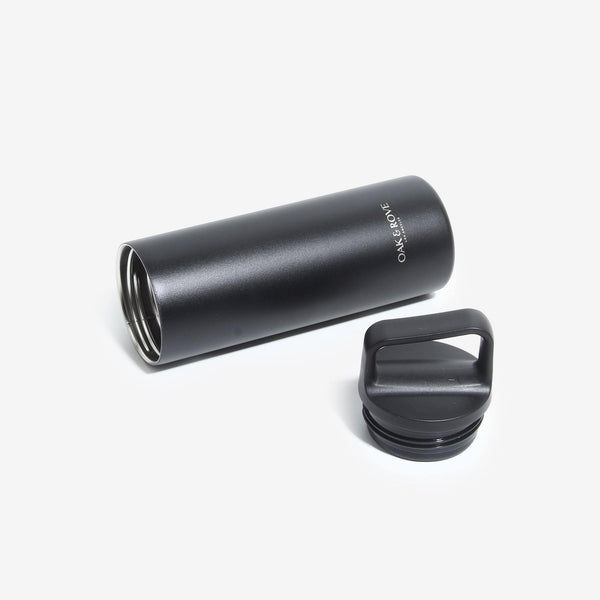
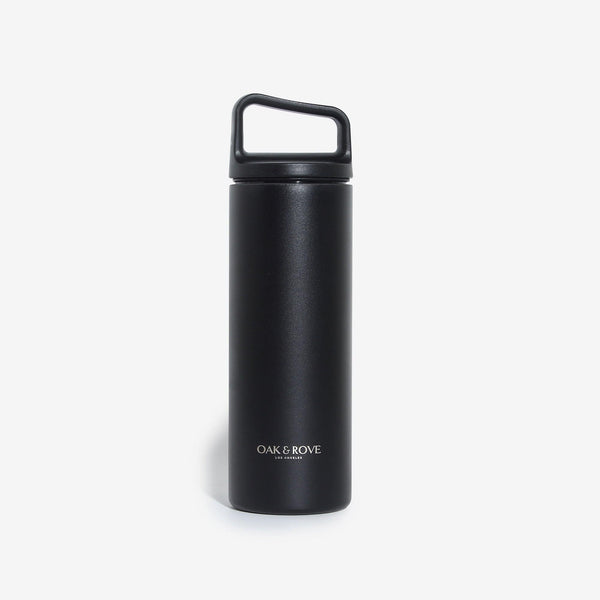
Water bottle holder (zone 2). The bottle stands upright in its own holder, away from paper. Close the lid fully before it goes in. We wrote a whole post on why the briefcase with a water bottle holder matters more than it sounds.
Pen holders (zone 2). Two pens, not six. A verified buyer flagged a real quirk here: "The pen holders overlap / dig into some of the other pockets." (G., verified buyer, Mar 26 2025). Bulky pens make that worse; slim ones sit flatter.
Front pocket organiser (zone 3). The front pocket unzips and opens flat into an organiser with elastic loops. Keys, a card or two, earbuds, a short cable for the phone. Everything you reach for on the platform.
Quick-access zippered pocket (zone 3). Phone, or passport and boarding pass on travel days. The pocket you open twenty times a day should be the easiest to reach.
Removable magnetic leather key fob (zone 3). Keys clipped, not floating. They'll stop scratching everything else.
Documents sleeve (zone 4). Folders and printouts stay flat here. One folder per project beats a stack of loose pages.
Newspaper or magazine slot (zone 4). For the thing you'll read on the train, so it doesn't get crushed in the main compartment.
One verified buyer summed up the point of the exercise: "I have found a place for everything in need and want to carry with me." (D., verified buyer, Jun 23 2023)
What to stop carrying
Organization starts with subtraction. Things that tend to ride along for no reason:
- Duplicate chargers. One per device, and leave the spare at your desk.
- Every pen you own. Two is plenty.
- Receipts. Photograph them for expenses, then bin them.
- Last month's papers. If the meeting is over, the folder can stay at the office.
- "Just in case" items you've never used. Umbrellas excepted, depending on your city.
- The gym kit. It deserves its own bag. A briefcase is a slim bag, about 13 L, and forcing a pair of shoes into it is how it starts to bulge.
If you split your week between home and the office, the subtraction looks a little different: one set of chargers lives at each desk. Our post on the hybrid-work bag goes through it.

The Sunday-night reset
Five minutes, once a week:
- Empty every pocket onto a table.
- Bin the receipts, wrappers and dead pens.
- Wipe out crumbs and dust.
- Check the charger, cables and spare battery are all there.
- Put each item back in its zone, nothing else.
- Add Monday's documents to the documents sleeve.
The point isn't tidiness for its own sake. It's walking out on Monday knowing what's in the bag without checking. One reviewer called the Alto "Very well organised and well made" (T., verified buyer, Apr 22 2025); the organization part, admittedly, still depends on the owner. For travel weeks, our business trip packing guide picks up where this leaves off.
Printable checklist
Zone 1, laptop - [ ] Laptop, strapped in its sleeve - [ ] Tablet in its own pocket
Zone 2, daily kit - [ ] Charger and cable - [ ] Phone cable - [ ] Water bottle, lid closed, upright - [ ] Two pens - [ ] Glasses
Zone 3, quick access - [ ] Phone - [ ] Keys on the fob - [ ] ID, cards, transit pass - [ ] Earbuds
Zone 4, documents - [ ] Today's folders, flat - [ ] Notebook
FAQ
- What should every work bag have in it?
- The core is short: laptop and charger, phone, a pen, something to write on, keys, and a water bottle. Add only what your job needs every day, such as documents for a meeting or a tablet. Anything you haven't used in two weeks probably belongs at home.
- How do I stop cables tangling in my bag?
- Give cables their own compartment or elastic loops, away from the laptop. Coil each one loosely, secure it with a tie or the loop itself, and keep the charger brick in the same zone. Cables that roam free end up wrapped around everything else.
- Where should a water bottle go in a work bag?
- In a dedicated holder that keeps it upright and away from the laptop and documents. Upright is the important word; most leaks happen when a bottle lies on its side. Check the lid is closed before it goes in, every time.
- How often should I clean out my work bag?
- Once a week is enough for most people. A five-minute reset on Sunday night, emptying every pocket, binning receipts and putting each item back in its zone, keeps the bag from slowly filling with things you no longer need.
Sources
- Alto Briefcase product page, Oak & Rove — pocket and compartment list